zoom to selection
When zooming-in with control-plus, the reference point is the upper left corner of the display. If nothing is selected, then this is a reasonable reference point. However, when an item (or multiple items) are selected, the zoom reference point should be that selected item. Otherwise, it is difficult to zoom in and out of different points in the score.
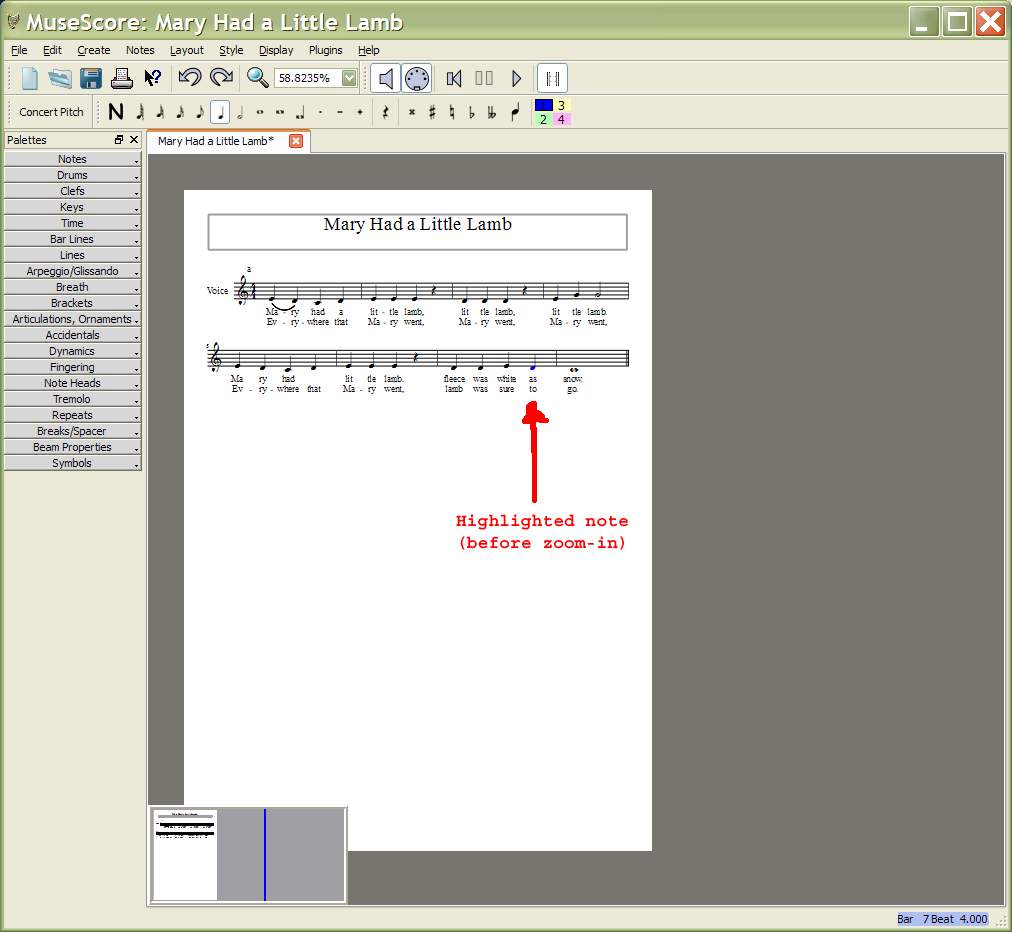
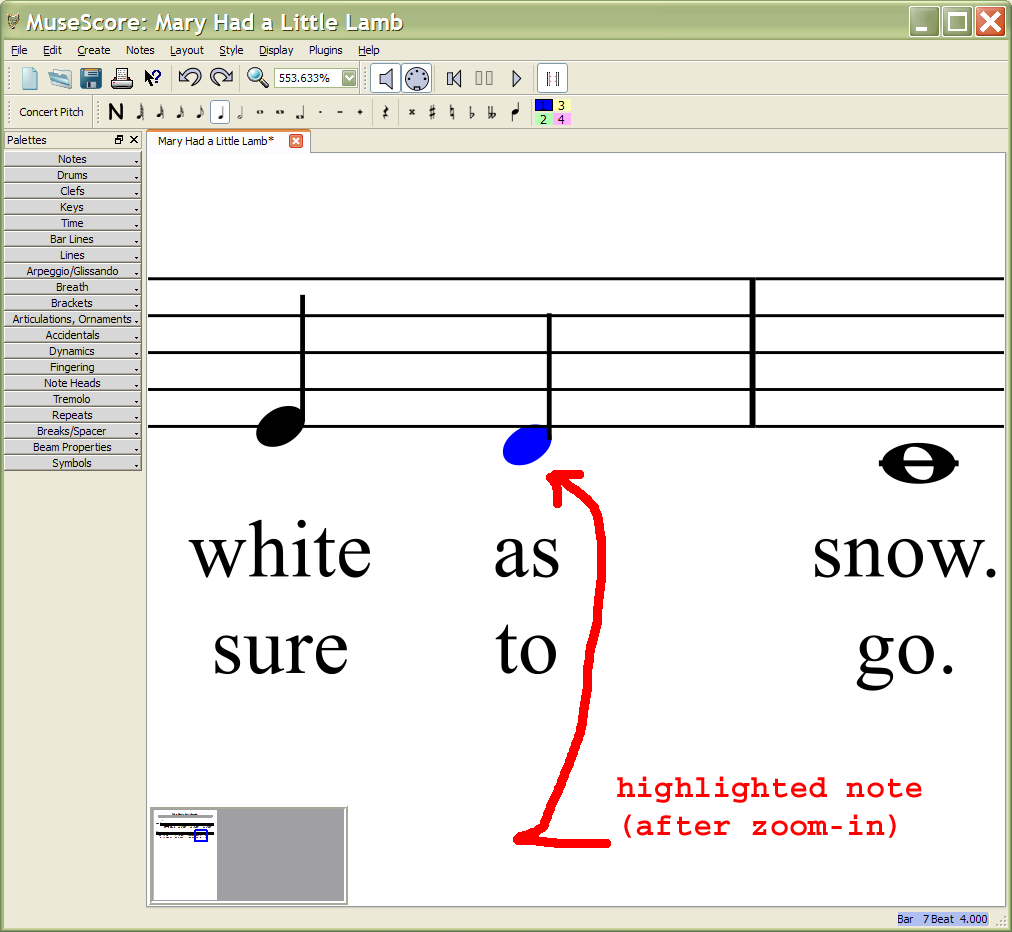
Attached is an example of a before zoom-in and after zoom-in. A note is selected in the score in the first image, then control-plus would be applied several times, resulting in the view in the second image.
| Attachment | Size |
|---|---|
| before-zoom.png | 68.37 KB |
| after-zoom.png | 79.4 KB |
Comments
Ctrl+scroll wheel zooms in/out on where ever your mouse pointer is.
I am using a laptop which has a track pad and no scroll wheel...
The bug is also present if you zoom with the zoom toolbar as reported here : http://musescore.org/en/node/15856
MS4.0.1 zooms to selection